Maxymix: long mixes, built on your Mac
Choose your tracks, set the transitions and export one continuous file or a set of ready-to-play blocks. Everything runs locally, on a console inspired by 1980s Hi-Fi equipment.
Maxymix is a desktop app for macOS that builds long audio mixes from your own MP3, M4A, WAV and FLAC files. You decide the tracks, the crossfades and the length of each block, and it exports the session with a timed tracklist. Audio is processed on your Mac and never uploaded. It is developed by MAXYMIZE and planned as a one-time purchase on the Mac App Store, with no subscription.
Not on sale yet. Maxymix is being prepared for release on the Mac App Store. This page, the support page and the privacy policy are already online, so you can see how it works and how it treats your data before it arrives.
What it does
Build your session
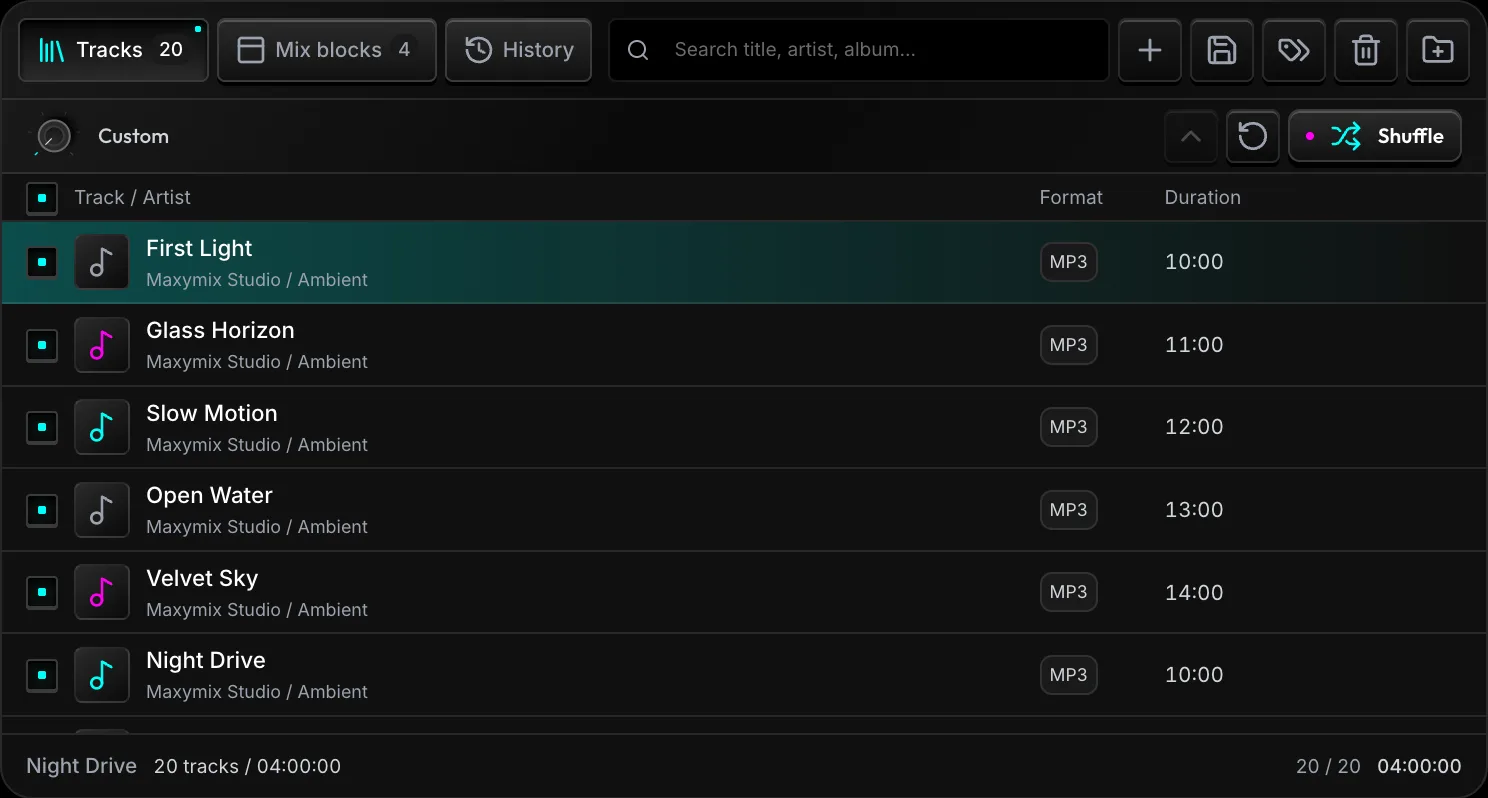
Import a folder of MP3, M4A, WAV or FLAC files. Drag tracks into order, shuffle them, or sort by title, duration and date added. The total playing time is visible before you start.
Choose your lengths
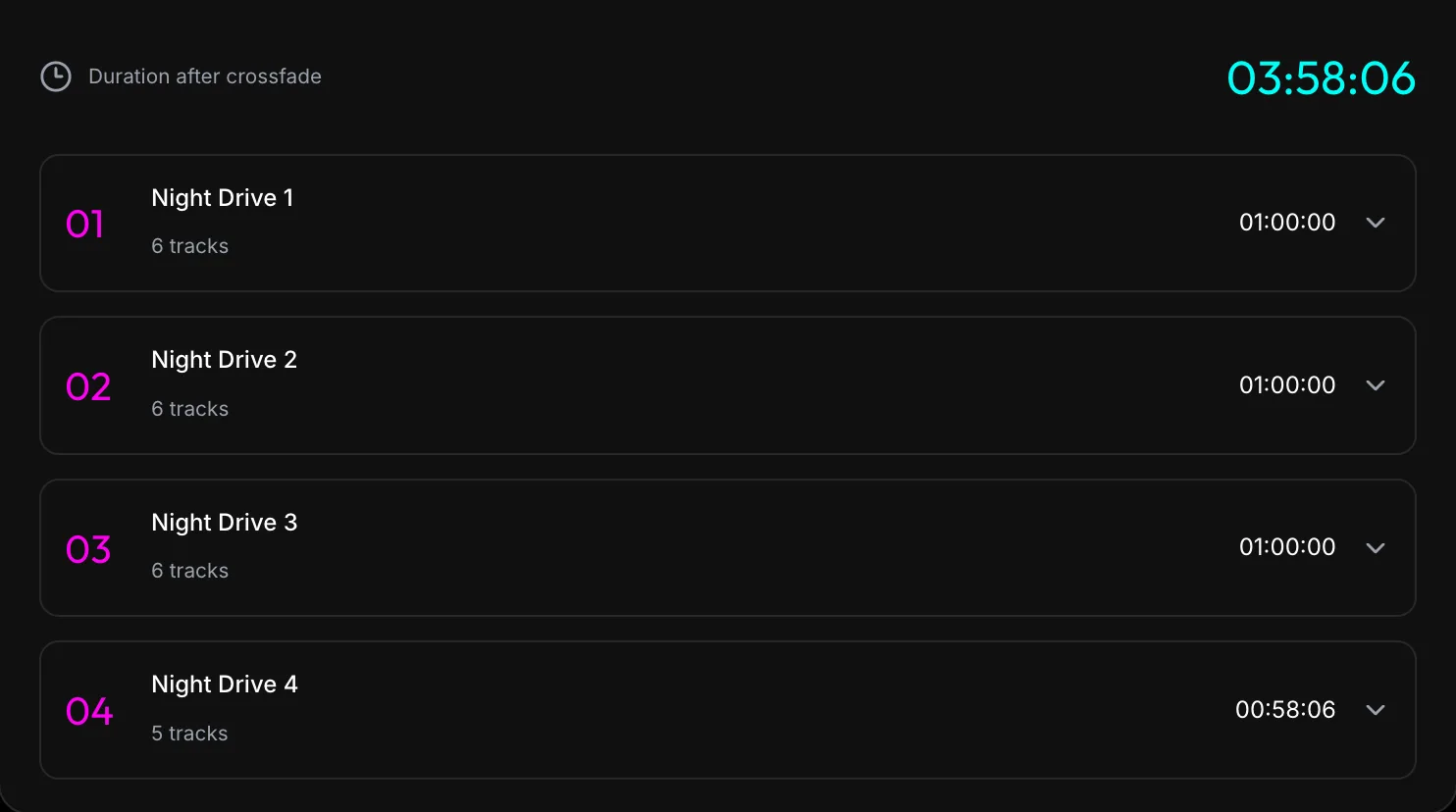
Export one long mix, equal blocks or custom durations. Keep complete tracks and accept flexible block lengths, or cut exactly to time and continue the audio in the next file.
Shape the sound
Set the crossfade length and pick one of four fade curves. Normalize by peak level or integrated loudness, with a target you control.
Use the console
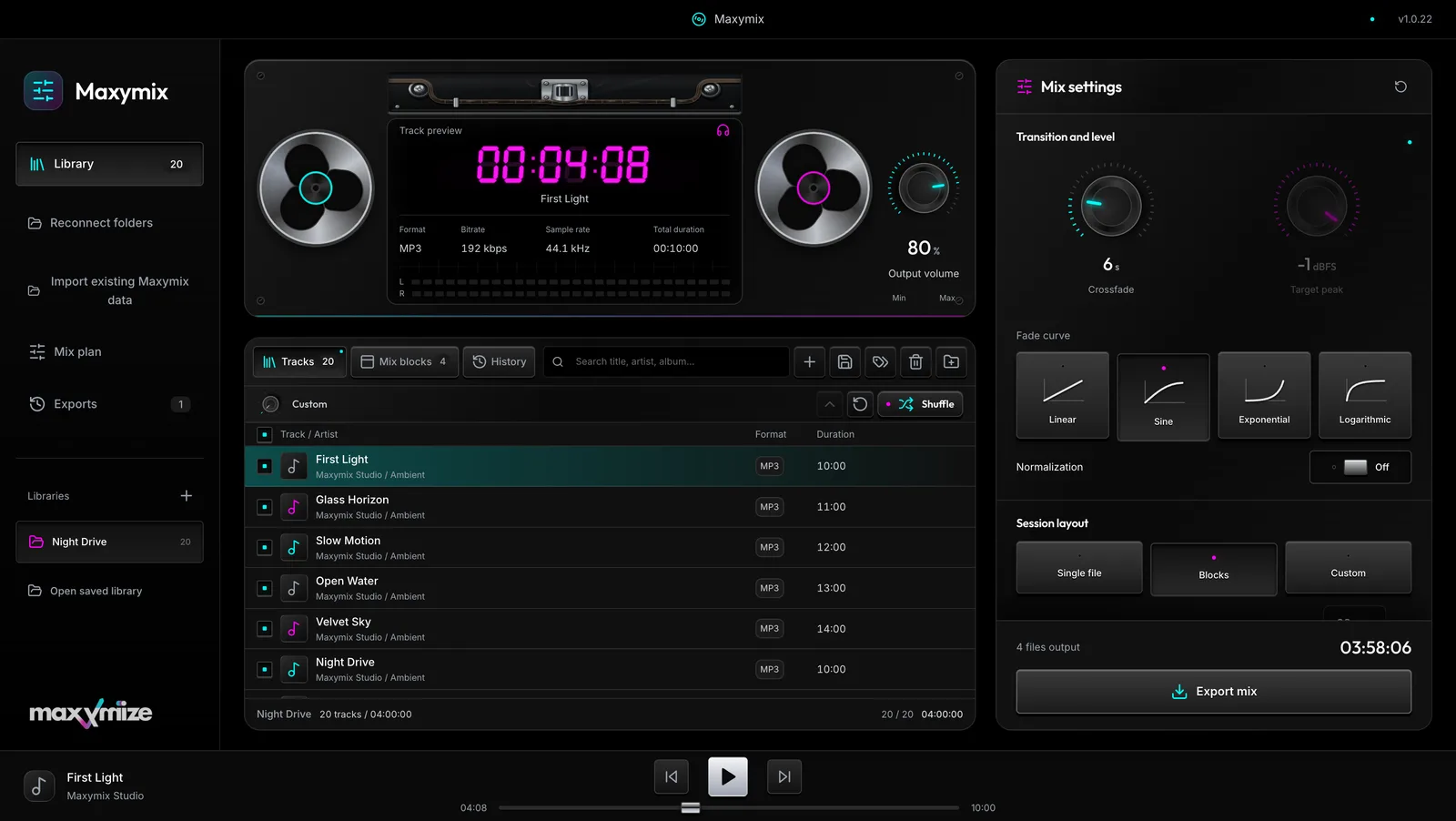
Preview tracks, drag either reel to move through the audio and set the playback volume with the master dial. Both reels follow the same tape transport.
Keep the library organized
Edit track metadata one by one or in a group. Originals are backed up when you write tags. Save portable library copies and reconnect music folders when they move.
Export and listen
Choose MP3, M4A, WAV or FLAC, with quality and sample-rate settings. Every output comes with mix metadata and a timed tracklist, and you can listen to exported blocks inside the app.
The app
These are real screens from the app. The music in the pictures is made of synthetic tones generated for the demonstration.
Your first mix in five steps
- Import a folder containing your own MP3, M4A, WAV or FLAC files.
- Select the tracks you want and arrange their order in the library.
- Choose one file, regular blocks or custom durations in Mix settings.
- Set the crossfade and normalization, then choose the output format and folder.
- Export the mix and listen to the result from Mix blocks or History.
Your music stays on your Mac
Maxymix reads the files and folders you select and does all the work locally: playback, tag editing, normalization and export. It has no user account, no advertising and no tracking, and it does not send your tracks, tags or libraries to us.
You choose the source folders and where the result is saved. Maxymix works with files you have permission to use: it does not import streaming-service libraries and does not remove copy protection.
The full details are in the privacy policy.
Before you buy
- Built for macOS. The audio engine has been verified on Apple Silicon.
- Check the Mac App Store listing for the supported Mac and macOS requirements once the app is published.
- Imports and exports MP3, M4A, WAV and FLAC.
- One-time purchase of the complete app, no subscription.
Frequently asked questions
What is Maxymix?
Maxymix is a macOS app that turns the music in your folders into one continuous file or a set of ready-to-play blocks, with crossfades, level normalization and a timed tracklist. It is developed by MAXYMIZE.
Does Maxymix upload my music?
No. Audio, tags and libraries are processed on your Mac. The app has no user account, no advertising and no analytics, and it does not send personal data to Maxymize.
Which audio formats does it support?
It imports and exports MP3, M4A, WAV and FLAC. Quality and sample-rate controls are in Mix settings. For sample-accurate durations, WAV or FLAC are the right choice, because MP3 and M4A may add a few milliseconds of codec padding.
Can I use my streaming-service library?
No. Maxymix works with audio files you have on your Mac and have permission to use. It does not import streaming-service libraries or remove copy protection.
Is Maxymix available now?
Not yet. It is being prepared for release on the Mac App Store as a one-time purchase. Until then, you can read the support page and the privacy policy.
Where do I get help?
On the support page, or by email at info@maxymizebusiness.com. Please include your Maxymix version, your macOS version and the steps that led to the problem.
Support: Help with importing, mix blocks, permissions and exports.
Privacy policy: What stays on your Mac and what we receive.